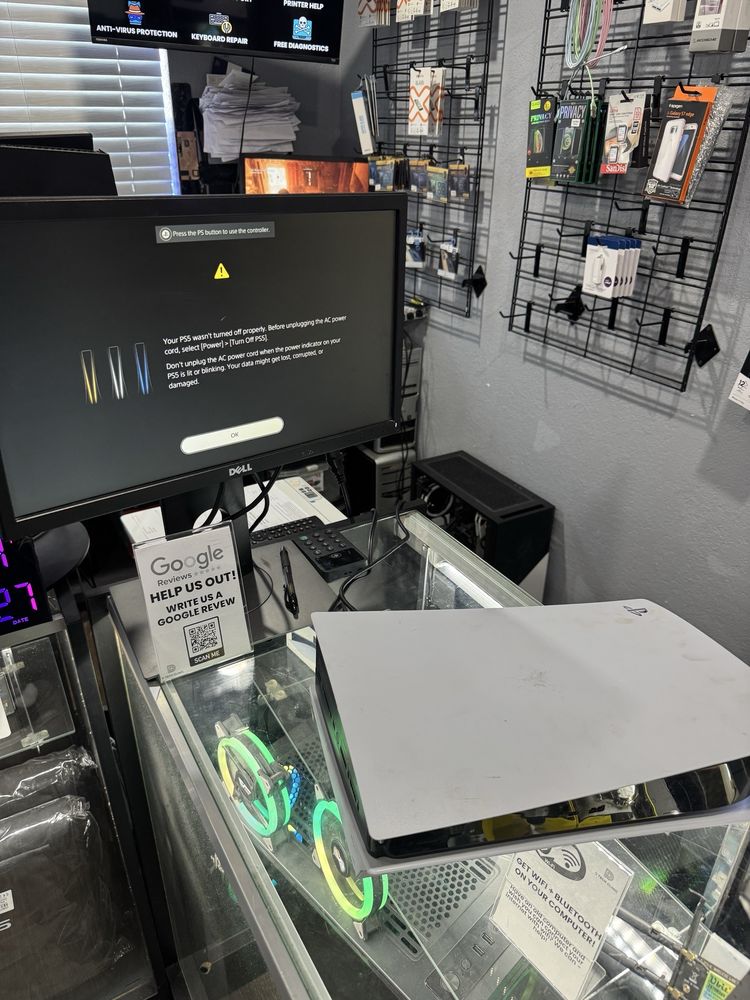
Fast, professional desktop computer repair in Tampa, FL for home and business PCs. We fix desktops that won’t turn on, no display issues, boot failures, overheating, crashes, slow performance, and hardware problems—done safely and correctly. We repair desktop PCs and tower computers for work, gaming, and home use.
Request A Quote or Appointment
Fill out our form and we will get back to you ASAP!
By providing a telephone number and submitting this form you are consenting to be contacted by SMS text message. Message & data rates may apply. You can reply STOP to opt-out of further messaging.
Safe, Professional Desktop Repair
We diagnose the real cause first—power, hardware, Windows, or overheating—then explain the best repair option before any work begins.
We Warranty All Our Services
We stand behind our work with warranty coverage on our services.
Ask Technician For More Details
Data-Safe Diagnostics & Repair Checks
We prioritize protecting your files during troubleshooting and repairs. If we suspect drive failure or corruption, we’ll explain safe backup options before proceeding.
All reviews

 Yelp
Yelp Trustindex
 BBB
BBBTrustindex verifies that the original source of the review is Google.
They have geart customer service great detail information and goes up and beyond to fix the problemThey fixed my hdmi port & clean my ps5 out & look very new+0He fixed my hdmi port in a day it was super easy and really fast. Great customer service and great over the phone too. I needed my xbox series x hdmi port fixed and he threw in a free cleaning too!They repaired the hdmi port and fully fixed my motherboard and got rid of the hazards with a full clean!!+0My alienware laptop was on its deathbed, idling at 100c and throttling like an epileptic when I ran games. Richard got me right, now it idles at 50 - 65c and while running my heaviest games it averages around 75-80c. It's magic, bro.took my xbox here for a diganstoic test it was bad but he fixed within 3 daysDefinitely, 10/10 they were very professional and nice my ps5 had liquid damage and corrosion I thought about throwing it in the trash but dtech definitely saved me $600 for a new game and my husband’s day , thanks dtech , they were very helpful nice and kind !! They also show proof in everything they do !! Not a scam at all they really fix you s**t !Repaired my Xbox series s with a no video issue. D tech repaired the motherboard. The HDMI chip was the issue. Best Xbox repair shop in Tampa!Trustindex verifies that the original source of the review is Trustindex.
Great service with fair pricing Fixed my PlayStation in just a few days. Very nice guy with very reasonable prices. 10/10 would recommend.Super professional service from Richard! Quick and efficient definitely will be back!They took care of me and got me back in the game. Technology is really important and when I need someone I can trust I know I can go to DTech. I will be back for anything I need and I would suggest you go here for any of your tech needs.Had to get 3 controllers fixed and DTech was very professional, reasonable and the turnaround time was favorable. I’d definitely recommend. THANKS GUYS!!!This guy's a wizard! I had three issues with my alien gaming laptop and he managed to fix all of them in one go.Great guy knows his stuff well wouldn't recommend anyone else incomparable serviceCleaned water out of my laptop and fixed heating problems!I came in to get my HDMI port on my PS5 fixed, really great guy at the front, Richard educated me a little as well about the PS5, overall great experience, couple days later its fixed at a reasonable price, I 100% recommend coming here for repairsHe fixed my iPad incredibly fast and managed to repair everything all at once, saving me time and hassle. His efficiency and skill are impressive, and the prices are unbeatable. Highly recommended for anyone needing quick, affordable, and reliable repairs!Fast, efficient, and affordable! He fixed my iPad incredibly fast and managed to repair everything all at once, saving me time and hassle. His efficiency and skill are impressive, and the prices are unbeatable. Highly recommended for anyone needing quick, affordable, and reliable repairs!recommendsTrustindex verifies that the original source of the review is Facebook.
Best price best service super fast can’t beat it brought it in because it wouldn’t power on he fixed my power supply an my motherboard an also fixed my hdmi really good service I recommend anyone hereHands down best repairs, fixed and cleaned PS5 HDMI port in a timely manner, clean facility and fast services.Trustindex verifies that the original source of the review is BBB.
amazing service, i left a pen on my macbook and accidently closed the lid. i was super upset when i damaged my macbook screen and i just got it. * was offered lifetime warranty with a good price and a screen protector included. d tech's staff are super friendly. when i called these other repair shops, they are rude and quick with an attitude. i know i had a bunch of questions but this is my first time going to a repair shop and i do not want to get scammed; especially if it's a couple of hundred dollars. the new macbook screen looks like original. it has been a couple of months since i got the screen repaired and still works great! please do not hesitate to contact d tech, they are super nice and they seem to really care about their customer. ******* asked me if i needed a water or not, its not a big deal but it is a good gesture and really generous.Hands down the best repair shop in town. A power surge blew out the Ethernet chip on my PS5, and nobody else locally could touch board-level micro-soldering. Fixed it fast and got my console back online like nothing ever happened. 5/5 stars.Ps5 stopped working d tech let me know what the problem was within 2 days tops! Bios chip damaged hdmi port shortage and damaged motherboard but they fixed her right up and it’s back up and working def go to them if yall got any electrical problems with your systems!!! Great service best in Tampa!!!Got My HDMI Port Repaired and got it cleaned all in the same-day. Should really come check D Tech Clinic OutD tech fixed my broken ps5. It turns on and beeps. They fixed my ssd controller, south ridge and other thing else. They fixed the motherboard. Best ps5 repair in Riverview and Brandon.I recommend it 100% Excellent service, very friendly; he solved my problem. I recommend him 100%. I took my son's iPad, which had a completely shattered screen; I thought it couldn't be fixed, but he was able to do it.I brought in a ps5 that had a shorted motherboard and my console was fixed in less then 2 weeks, they also have a great pricing and many deals when buying hardware etc. very much recommended for the Hillsborough area!My Ps5 was overheated and they took great care of it. Great pricing and it works really well now. Would highly recommend.Repaired my iPhone. They changed the water seal and gave me life time warranty. Thank you. Very friendly.Fixed my PlayStation hdmi like new!!I took my PS5 to another repair shop and they damaged my motherboard. I contacted D Tech to fix my motherboard and replaced the HDMI that the other shop was supposed to do. D Tech took before and after pictures100 percent recommend these guys helped me out knew their stuff and hooked me up. I’ll be a returning customer for future tech repairsExceptional electronics repair service D Tech Clinic is absolutely phenomenal when it comes to repairing electronics. I had a laptop I thought was beyond fixing, previously declared irreparable by another shop, but D Tech Clinic proved otherwise. Their expertise and attention to detail were amazing—they identified multiple issues, fixed everything perfectly, and even replaced missing screws at no extra cost. They’re honest, budget-conscious, and genuinely care about providing the best experience. My laptop now works better than ever. I’m so impressed by their thoroughness and customer service. I wouldn’t trust anyone else with electronics repair!Verified
D Tech Cinic is a major and phenominal player in the world of fixing PCs, laptops and an array of other electronics. I had taken my laptop to Rodtech who deemed my laptop irrepairable about 3 years ago. I really liked that laptop and I dreaded having to throw it away, so on a whim, I decided to get a second opinion. I took it to D Tech Clinic and they didn't disappointment. Through their tenaciousness, they discovered serveral issues with my laptop and they were able to get it up and running. D Tech gives you back your device in better shape than it was when you brought it to them. Their attention to detail is impeccable, I was missing screws in my laptop and they replaced those without hesitation and for no extra charge. They're conscientious about what they charge their customers for repairs, so they work with you, recommeding other quality alternatives for parts that meet your budget. They are honest and they go above and beyond to provide you with the best customer service. You're not going to find a better repair shop for you electronics. I would not hesitate to use their business again.Excellent PS5 repair service! I brought in my PS5 for a tricky repair, and it was handled perfectly! The technician not only fixed the issue but also cleaned it thoroughly, making it look and work like new. The service was professional and exceeded my expectations. Highly recommended!+0Came in to fix hdmi port and my ps5 now works like new,, an overall great experience here highly recommendFix my gaming pc, very friendly with an excellent quality work! I'm very thankful 🙏🏽Great experience overall fixed my hdmi with no issues.They are amazing, I had a big black spot on my laptop screen and it was repaired quickly and looks brand newPS5 was dead. Dropped off PS5 and they were able to resolve my issue quickly. Highly recommended.Fixed My Son Switch Lite My husband took my son’s Nintendo Switch Lite to this repair shop after it stopped charging and it went black. The technician did an amazing job! He quickly diagnosed the problem and replaced the charging IC in a timely manner. He was very nice, friendly, and professional throughout the process. The repair was done at a very reasonable price, and everything works perfectly now. I highly recommend this shop for anyone needing reliable and honest repair service!Friendly and professional Very friendly and professional, second time using their services.PS5 issue I had a great experience from the D Tech they were able to fix my PS5 that had issues with the fan port coming loose. Very professional and done a great job I would highly recommend.Brought my PS5 in to get the HDMI replaced. Fast and good work. Richard did great work and was fast+0Got an amazing price to replace the HDMI port in my Xbox Series X! Great price and great service indeed!Got my hdmi port fixed+0good service and one day delivery. got my hdmi port fixed in a day. Thankfully as this is one way to output video signalGreat WorkMy computer would not hold a charge. I had put in a new battery, and that didn't do the trick. I brought my computer to D Tech Clinic, and it was diagnosed to have a faulty port. It was replaced for a very reasonable fee, and I now have a working computer again. VERY pleased with the work and the value. Highly recommend. Just hard to find, because it's on the side of a building that is a car and tire repair shop. I do recommend the work and am grateful that I found D Tech ClinicIncredible work as always Amazing service and a very knowledgeable staff. They’ve helped me out twice now with a new PC and both times they’ve been extremely good about explaining things to me in a way that doesn’t go over my head. Highly recommend them for any and all computer repairs!PS5 repair Rich was able to fix my PS5 within a couple of days and got it back to running like brand new. Highly recommend his servicesAmazing small locally owned business here in Tampa. They fixed my computer, and PS5 for a great price. Owner is really amazing and friendly and helped me out big time. Saved me hundreds on my MacBook screen replacement. Apple wanted like $1,000 just to change my screen. D Tech Clinic got me for $400!!!Five stars! The service was professional and fixed the issue quickly. Highly recommend!MacBook Pro Screen Replacement Richard at D Tech Clinic helped me with my MacBook Pro with the screen replacement. He did a wonderful job and got me a new screen with a new cover. So it looks basically brand new again. Richard is the owner, and he is very kind. He gave me a great price that beats everyone else. Respectful young man.Load moreVerified by TrustindexTrustindex verified badge is the Universal Symbol of Trust. Only the greatest companies can get the verified badge who has a review score above 4.5, based on customer reviews over the past 12 months. Read more
If your desktop shows no signs of power, the issue is often a failing power supply, damaged components, or motherboard-related problems. We test power delivery, inspect internal parts, and replace faulty hardware to restore stable operation.
A desktop that powers on but shows no display may have GPU, RAM, cable, BIOS, or motherboard issues. We test video output, graphics cards, memory, and connections to identify the cause and restore proper display.
Slow startups and laggy performance are commonly caused by aging hard drives, insufficient RAM, or software issues. We improve speed through SSD upgrades, memory upgrades, system cleanup, and performance tuning.
Excess heat and noisy fans are usually caused by dust buildup, failing fans, or dried thermal paste. We provide deep cleaning, fan replacement, airflow correction, and thermal paste service to keep your desktop cool and stable.
Crashes, freezing, and blue screen errors can result from driver conflicts, corrupted system files, failing hardware, or update issues. We diagnose the root cause and repair Windows while protecting your data whenever possible.
GET a DISCOUNT from US!
Are you a veteran, first responder, nurse(or you work in healthcare), or teacher?
We thank for what you do & appreciate you and your services.
Get up to 5-10% discounts on repairs.
At D Tech Clinic, we handle both hardware and software repair for desktop computers, including:
Why Us?
Our Customers Are Our Family.
We treat all of our customers like family.
When it comes to desktop computer repair services in Tampa, FL, rely on our dedicated team. We’re a proud 5-star computer repair shop near you. Unlike big corporations, we prioritize your needs over profits and provide honest, tailored solutions to get your desktop running properly again—without risking your files or system stability.
We follow a safe, step-by-step repair process to diagnose the real problem, prevent further damage, protect your system files, and restore smooth performance—so you can get back to work, gaming, and everyday use with confidence.
Here at D Tech Clinic, we strive for your trust and satisfaction.
Searching for desktop computer repair near you because your PC won’t turn on, has no display, keeps crashing, runs slow, or overheats? You’re in the right place.
At D Tech Clinic, we provide professional desktop computer repair in Tampa, FL, designed to diagnose and fix the real cause of the problem — not just the symptoms. Whether you’re dealing with random shutdowns, loud fan noise, black screens, error messages, USB/peripheral issues, or a desktop that won’t boot, our team can pinpoint the issue, repair your system, and get your PC running fast and stable again.
We’re the Local Desktop Repair Shop Near You
Our shop is conveniently located in Tampa, FL, making it easy to drop off your desktop for fast, professional repair. If you’re searching “desktop computer repair near me” or “PC repair near you,” our Tampa team is ready to help.
Call (813) 445-5585 today to schedule your desktop computer repair in Tampa, FL.
It depends on the issue and whether parts are needed. We diagnose first and explain your options before proceeding.
Common causes include GPU issues, RAM problems, power supply instability, or motherboard/BIOS problems. We test the system to pinpoint the cause.
Yes. We diagnose whether it’s a drive issue, Windows corruption, or a hardware problem and repair it safely.
Yes. We troubleshoot and repair many gaming and custom PC builds, including cooling, power, GPU/RAM issues, and performance upgrades.
Some repairs can be same-day depending on the issue and parts availability. We’ll give you a realistic timeline after diagnosis.
We repair computers, laptops, and game consoles. If you own a business, we can help manage your devices and market your business.
Repair Services
Contact Us

All trademarks, logos and brand names are the property of their respective owners. All company, product and service names used in this website are for identification purposes only.
10/8/2026 Thursday – We will be open from 2:30 PM – 7:00 PM.
We apologize for any inconvenience.